 Nano Revive PixDeutsch
Restore old photos from a phone picture of the print
Take a picture of the old print with your phone, upload it, and get it back with tears, cracks, stains and fading repaired and natural color added. The people in it stay the same people.
Restore a photo freeTry 2 photos free (free results carry a nano-revive-pix.com watermark). Clean, full results come in a one-time pack of 20, no subscription.
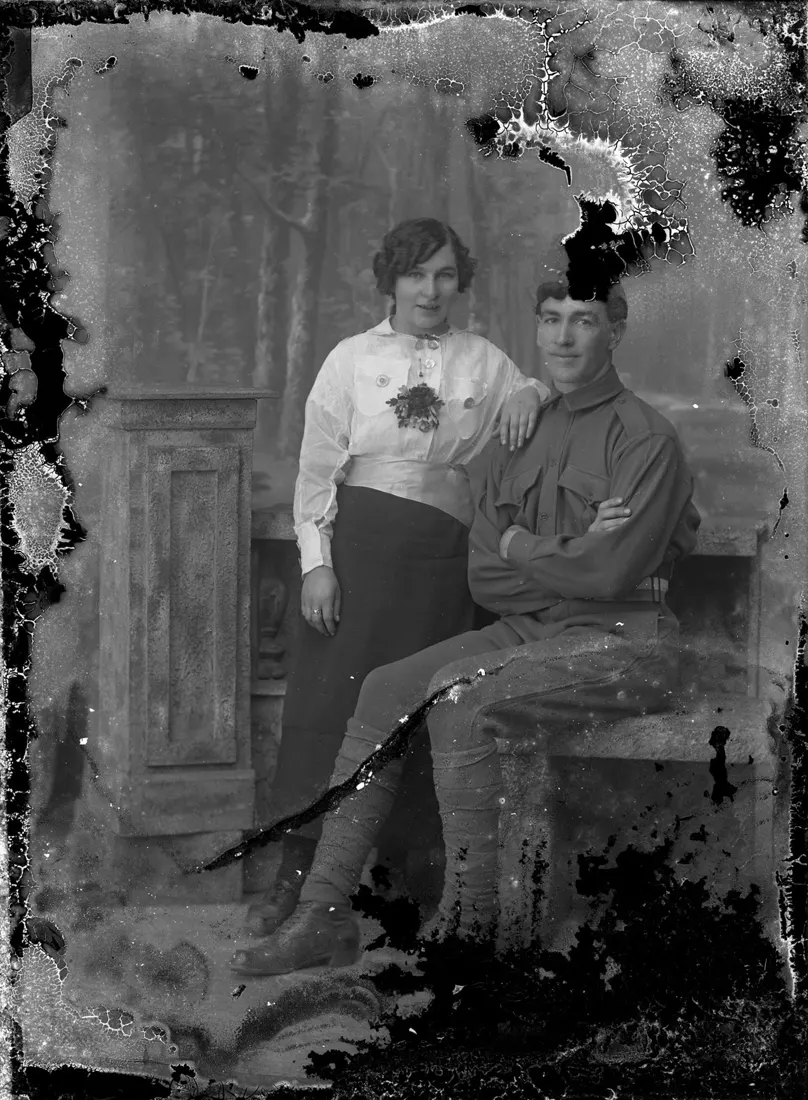
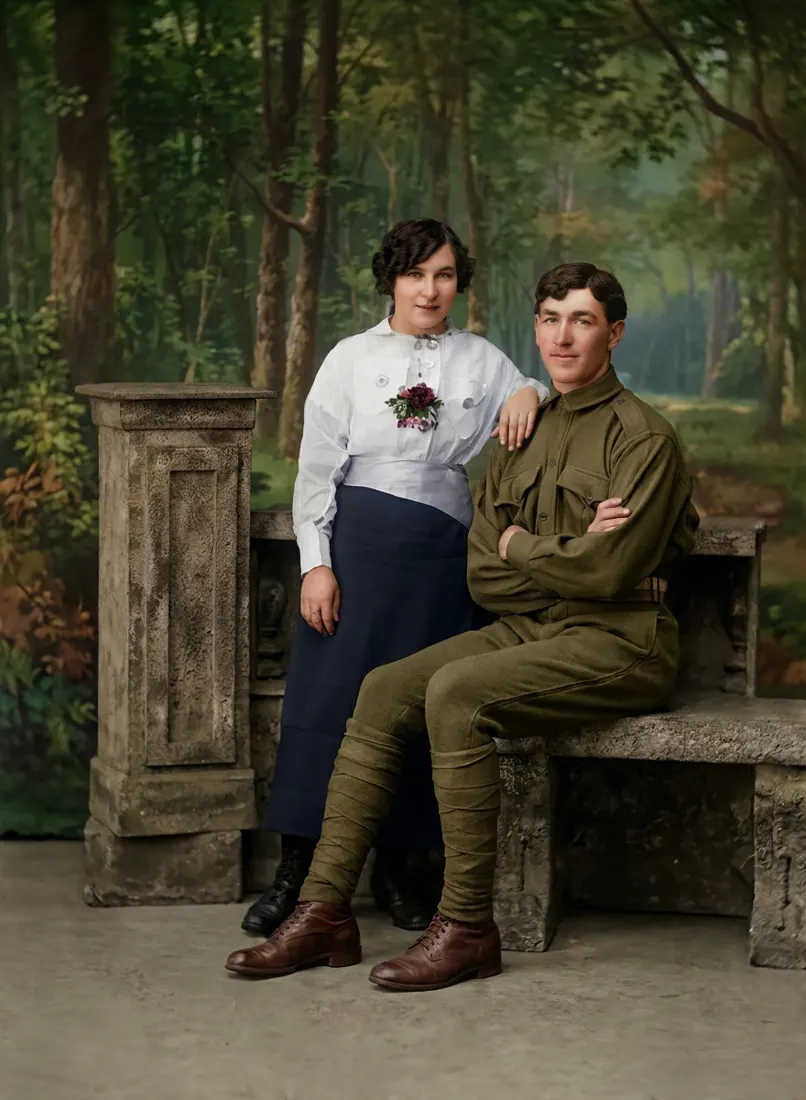
Example photo: A soldier with a girl, n.d., public domain, via Wikimedia Commons

What gets fixed
- Cracks, tears and folds, including ones that run through clothing or background
- Spots, stains, scratches and peeling emulsion
- Fading and yellowing: contrast and detail come back
- A crooked or slightly angled phone shot: the print is straightened and cropped
- Black and white or sepia: natural color is added in the same step
What no restore can do
If a face is missing, burned out or a few pixels wide, nobody knows what it looked like, and any tool that "fixes" it is guessing. Nano Revive Pix is instructed to keep each person's exact likeness rather than invent a new face, but check every result against the original. If a face looks like a different person, don't use it; try a sharper picture of the print instead.
How to photograph the print
A phone picture is enough. A good one makes the restore better than any setting will.
- Take it out of the frame if you can do that safely. Glass adds reflections that look like damage.
- Use daylight next to a window, not direct sun and not the flash. Flash leaves a bright spot on glossy prints.
- Hold the phone parallel to the photo and fill the screen with it. A slight angle is fine; the restore straightens it.
- Tilt slightly if you see glare, then take a second shot. Silk and glossy finishes reflect from almost every angle.
- Don't flatten a curled or cracked print by force. Photograph it as it is.
Why not just use a general AI image tool?
General image models redraw the whole picture, and faces are where that shows. Testers keep reporting a restored grandmother who looks like a cousin. Restoring old photos is all this tool does: it straightens and crops the print, repairs it, adds color, and is instructed to keep each person's exact likeness. There is a longer comparison here.
Have the print at hand? It takes about a minute.
Restore a photo freeTry 2 photos free (free results carry a nano-revive-pix.com watermark). Clean, full results come in a one-time pack of 20, no subscription.
Questions
Do I need a scanner?
No. A phone picture in daylight is enough for most prints. If you already have a scan, upload that.
Is it free?
You can try 2 photos free with a free account; those results carry a nano-revive-pix.com watermark. For clean results you buy a one-time pack of 20 photos. There is no subscription.
Who can see my photos?
Only you. Photos are private to your account and are deleted on request via contact@nano-revive-pix.com.
Can I get it without color?
Every restore currently adds color. For a black and white version, apply the mono filter in your phone's photo editor to the result; the repairs stay.