 Nano Revive PixDeutsch
Colorize black and white photos with natural color
Upload a phone picture or scan of a black and white or sepia print and get it back in believable color, with scratches and fading repaired in the same step.
Restore a photo freeTry 2 photos free (free results carry a nano-revive-pix.com watermark). Clean, full results come in a one-time pack of 20, no subscription.
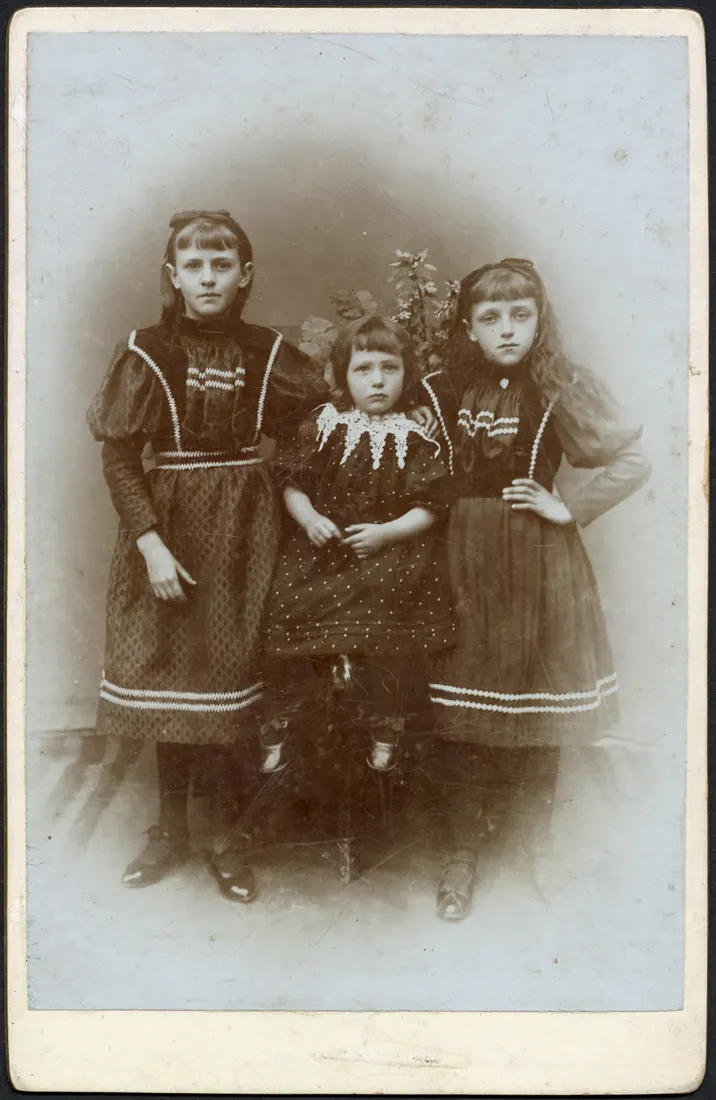
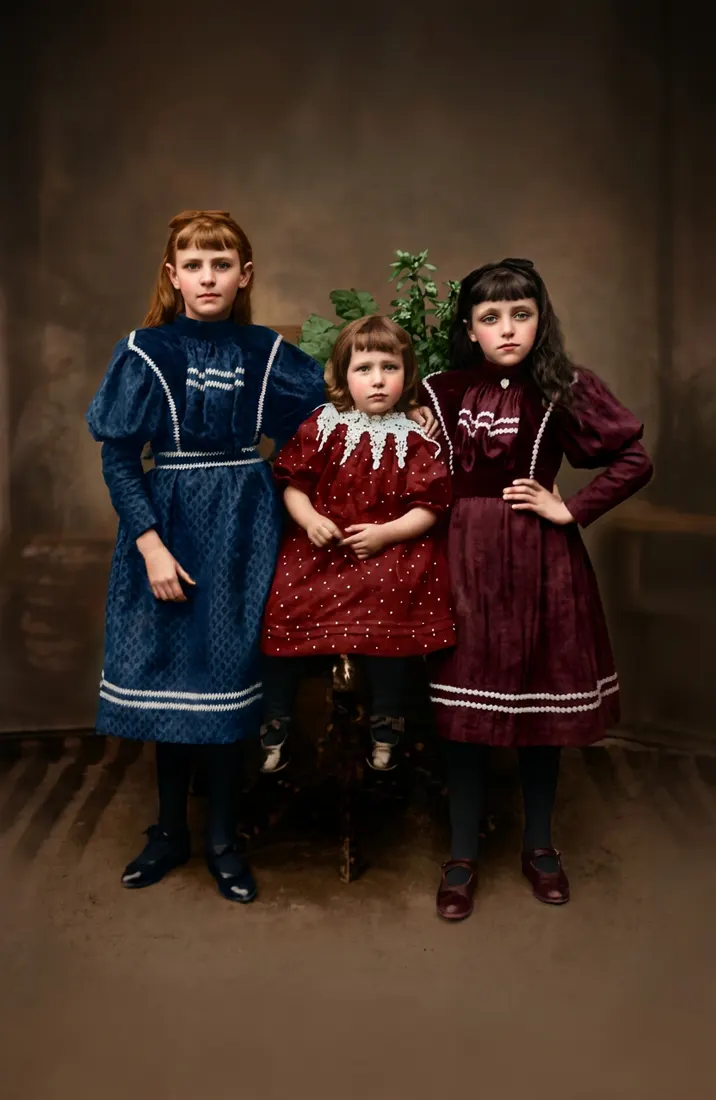
Example photo: H. Schünemann, Alfeld, circa 1900, public domain, via Wikimedia Commons

What "natural color" means here
Skin, hair, wood, fabric and sky get colors that fit the period and the light in the photo. The color is a careful estimate, not a record: a black and white photo holds no information about whether a dress was blue or green. If you know the real colors (a uniform, a family heirloom, red hair that runs in the family), check those details in the result.
Good to know before you start
- Sepia and brown prints work too. The brown tone is removed before color is added.
- Group photos work, but small faces in the back rows hold less detail. Photograph the print as large as your phone allows.
- Keep the original. The colorized version is a new picture to share and print; the black and white print is the historical record.
How to photograph the print
A phone picture is enough. A good one makes the restore better than any setting will.
- Take it out of the frame if you can do that safely. Glass adds reflections that look like damage.
- Use daylight next to a window, not direct sun and not the flash. Flash leaves a bright spot on glossy prints.
- Hold the phone parallel to the photo and fill the screen with it. A slight angle is fine; the restore straightens it.
- Tilt slightly if you see glare, then take a second shot. Silk and glossy finishes reflect from almost every angle.
- Don't flatten a curled or cracked print by force. Photograph it as it is.
Try it on one photo first. The first 2 are free.
Restore a photo freeTry 2 photos free (free results carry a nano-revive-pix.com watermark). Clean, full results come in a one-time pack of 20, no subscription.
Questions
How accurate are the colors?
Believable, not documented. Black and white film recorded brightness, not color, so clothing and backgrounds are an informed guess. Skin and sky tend to be close.
Can I colorize without repairing?
No, the repair and the color happen together. That is usually what you want with an old print anyway.
What size do I get back?
An image of roughly 1,100 to 1,300 pixels on the long side. That is plenty for screens and sharing, and good for prints up to about 5x7 inches.